
Amazon Dynamic Canvas is a free decision simulator hiding in Seller Central
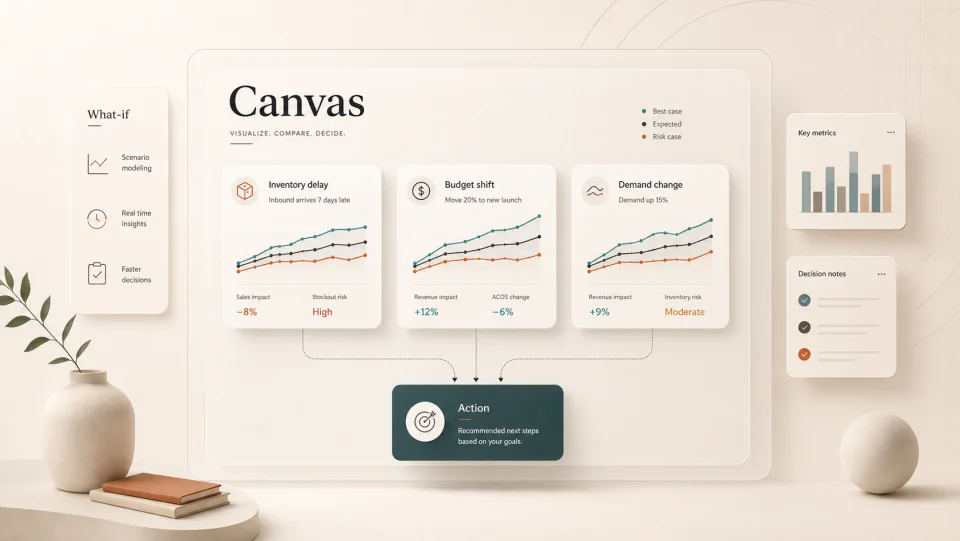
Dynamic Canvas turns Seller Assistant into a visual workspace for sales, inventory, and advertising scenarios. The opportunity is not novelty; it is faster weekly decisions.
By WAYAMZ Team
Dynamic Canvas is easy to misunderstand.
It is not just another dashboard. It is Amazon moving the seller workflow closer to an AI-assisted decision room: ask a question, see the data, change the scenario, and pressure-test the answer before the team opens another spreadsheet.
That is useful because most Amazon operating teams do not lack data. They lack clean decision flow.
Sales data lives in one place. Inventory reports live in another. Ad performance is reviewed in a separate rhythm. By the time a team has pulled, cleaned, and compared everything, the actual decision is often rushed.
Canvas is trying to shorten that middle layer.
What It Is Good For
The best use case is scenario thinking.
A seller can ask what happens if demand drops, replenishment arrives late, a campaign budget changes, or a promotion runs earlier than planned. The value is the visual response: charts, tradeoffs, and a clearer first pass at the decision.
For an operator, that means Canvas can help frame questions like:
- Which ASIN is creating the highest stockout risk?
- What happens if we shift budget from a mature campaign to a launch campaign?
- How does revenue change if a discount moves from 10 percent to 15 percent?
- Which inventory decision protects cash without damaging rank?
Those are real weekly questions. They deserve a better interface than a raw export.
What It Is Not Good For
Canvas should not be treated as an autopilot.
AI-generated visuals can make a recommendation feel more certain than it is. If the assumptions are wrong, the chart will still look clean. If the source data is incomplete, the scenario may still sound confident.
That is why every Canvas review needs a validation step. Check the underlying report. Confirm inventory timing. Review campaign history. Ask whether the recommendation fits the brand’s margin structure, not just the account average.
The tool can accelerate the conversation. It should not own the final call.
The Weekly Review Format
Use Canvas with a fixed rhythm.
Start with one operating question. For example: “If Prime Day demand starts two weeks earlier than planned, which SKUs are at risk and where should budget move?”
Then run three views:
- Expected case: current forecast and current budget.
- Risk case: demand shifts, inbound delays, or conversion weakens.
- Action case: what changes if the team adjusts price, budget, or replenishment?
The output should become a decision memo: one risk, one action, one owner, one metric to watch next week.
This is where cross-border teams can gain time. The Shenzhen side may own supply and factory timing. The US side may own ads and marketplace judgment. A shared visual scenario helps both sides discuss the same tradeoff faster.
Where It Fits Against Third-Party Tools
Dynamic Canvas will not replace every analytics stack.
Third-party tools still matter for keyword research, competitive tracking, catalog monitoring, and historical workflows that Amazon does not expose cleanly. But Canvas has one advantage those tools do not: it is inside the first-party seller environment.
That makes it a strong starting point for weekly decisions.
The practical stack is not “Amazon AI or external tools.” It is “Amazon AI for first-pass context, external tools for deeper validation, operator judgment for the final action.”
A Good Prompt Is A Business Question
The quality of Canvas output will depend on how the team asks.
“How are sales?” is too broad. “Which three ASINs create the highest revenue risk if inbound inventory is delayed by seven days?” is useful. “What should I do with PPC?” is too vague. “If we move 20 percent of non-branded budget from mature campaigns to the launch ASIN, what revenue and stockout risks should we review?” gives the tool a decision frame.
The operator should bring the constraint, the timeframe, and the action under consideration. Canvas can then help visualize the tradeoff instead of becoming another place to browse charts.
The Operator Read
Dynamic Canvas is worth testing because it attacks a real cost: decision drag.
The best Amazon teams already know that speed matters. They see a stockout risk earlier. They move budget before the auction gets crowded. They stop a weak SKU before it eats another month of cash.
Canvas can help those teams move faster. It will not make a weak operator strong, but it can make a strong operating rhythm lighter.
Use it for scenarios. Validate the output. Turn the visual into a decision.
The Operator Brief
One email a week, operator's cut.
The week's sharpest Amazon signals from the journal — policy changes, fee math, and the data reads worth acting on. No spam, unsubscribe anytime.