
Automate Amazon SQP before you raise ad spend
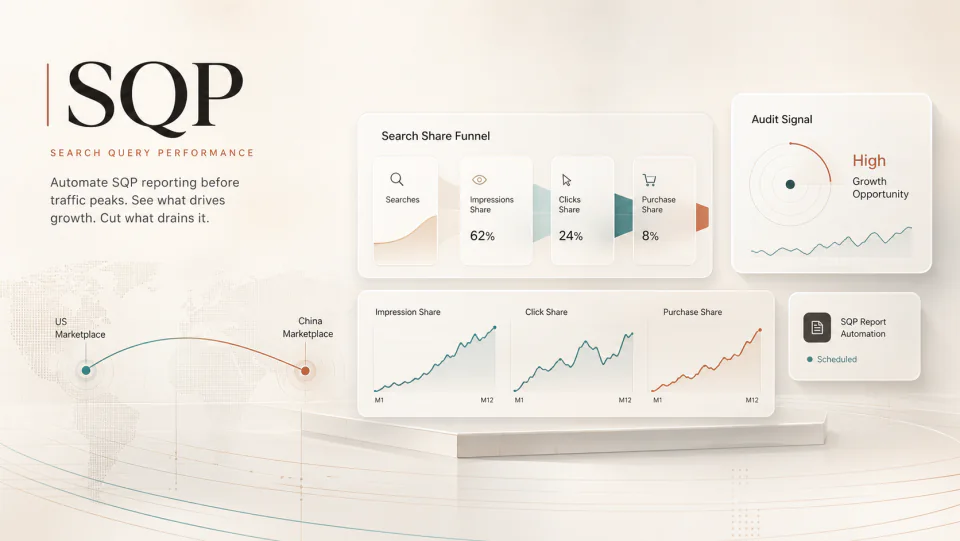
Brand Analytics' Search Query Performance report shows where your search share is being won or lost. A weekly SQP workflow turns that data into budget, listing, and launch decisions before the next traffic spike.
By WAYAMZ Team
Most Amazon teams look at ad spend before they look at search share.
That order is backwards.
If a category is heading into a heavier traffic period, the first question is not “how much more budget should we add?” The first question is “where are we already losing the query?”
Amazon Brand Analytics gives brand owners a direct way to answer that through Search Query Performance, often shortened to SQP. The report shows how your brand performs across the search funnel by query: impressions, clicks, cart adds, and purchases. In practical terms, it tells you where demand is moving before the blended account metrics catch up.
The problem is not that the report is weak. The problem is that the workflow around it is usually too manual.
What SQP Shows That ACOS Does Not
ACOS tells you what happened inside the ad account. SQP tells you what happened inside the search result.
That distinction matters. A brand can keep ACOS stable while losing organic visibility on the queries that will matter next month. A team can also increase bids and still lose click share because the listing is no longer winning the comparison set.
SQP lets you separate those problems. For each query, you can look at:
- Impression share: whether your brand is still appearing in the demand stream.
- Click share: whether the search result is still earning attention.
- Cart share: whether the offer is strong enough to move a shopper forward.
- Purchase share: whether the full listing, price, reviews, and availability are converting.
That funnel view is cleaner than staring at one blended PPC number and guessing.
Why Manual SQP Reviews Fall Apart
Most teams try SQP once. They export a file, open a spreadsheet, compare a few rows, and then move on because the work does not fit cleanly into the operating week.
The useful version is not a one-time export. It is a recurring search-share review.
The report should be pulled on the same cadence, compared against the last four to six weeks, and turned into a short action list. That is where an AI workflow helps. Not because the model should make the final call, but because it can normalize rows, compare movement, cluster similar queries, and surface the terms that deserve human judgment.
The human operator still decides. The system simply brings the right ten queries to the table.
The Three Signals Worth Automating
1. Share-Loss Queries
These are terms where you were visible last week and meaningfully weaker this week.
If impression share falls, the issue may be indexing, relevance, bid coverage, inventory, or competitor pressure. If click share falls while impression share holds, the issue is usually the search result itself: title, main image, price, reviews, coupon, or the competing offers around you.
The action is not always “raise bids.” Sometimes the better move is to fix the listing before buying more traffic into a weaker result.
2. Branded-Term Intrusion
Your branded search terms should be watched separately from generic category terms.
If competitors are taking more click share on your brand terms, the damage compounds quietly. You may still see sales, but the cost of defending the customer journey rises over time. Sponsored Brands defense, stronger Store paths, tighter hero SKU coverage, and branded-query listing polish all matter here.
This is also where many brands find leakage from their own catalog structure. A weak hero ASIN can send buyers into another seller’s comparison set even when the query started with your brand.
3. Emerging Category Language
The best SQP signal is often a term that is still small but growing fast.
Those queries tell you how buyers are beginning to describe the problem. If search volume is rising and the auction is not yet crowded, you have a window to test content and low-risk ad coverage before the term becomes expensive.
This is especially useful for products with seasonal demand, new use cases, or fast-moving category language.
A Practical Weekly Workflow
Start simple.
Pull the last four to six weeks of SQP data. Group queries by brand terms, core category terms, competitor-adjacent terms, and emerging long-tail terms. Then flag movement across the funnel, not only revenue.
The output should fit on one page:
- Defend: terms where share loss is urgent or branded leakage is rising.
- Optimize: terms where impressions are fine but click or purchase share is slipping.
- Test: emerging terms that deserve content coverage or small-budget campaigns.
- Cut or contain: paid terms where extra spend is not improving share.
That last bucket matters. A good SQP review does not only find places to spend more money. It also finds places where the account is paying to stand still.
The Operator Read
SQP is not a magic report. It is a weekly instrument panel.
Used well, it keeps the team from making budget decisions in the dark. Before a major sales event or seasonal push, it can show which search terms are already weakening, which competitors are moving into your branded demand, and which new buyer phrases are worth testing before the market notices.
More ad spend can amplify a strong position. It can also hide a weak one for a few weeks.
Run the search-share review first. Then decide where the next dollar should go.
The Operator Brief
One email a week, operator's cut.
The week's sharpest Amazon signals from the journal — policy changes, fee math, and the data reads worth acting on. No spam, unsubscribe anytime.